
[ Site Diary ]
A site diary that fills itself in
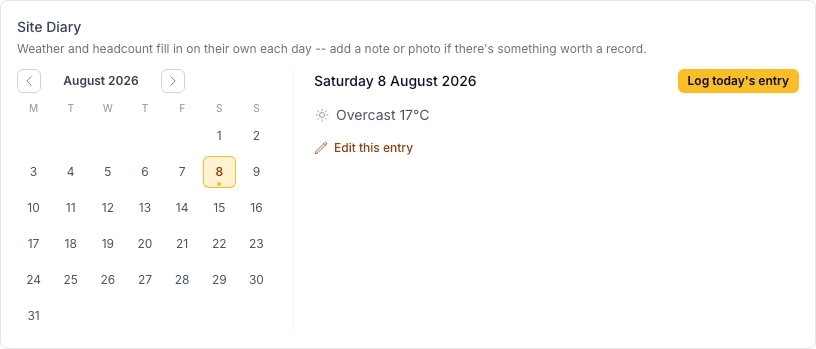
The daily record of what conditions were actually like on site — weather, who was there, anything worth noting — is exactly the kind of thing that matters most when you need it and least the rest of the time, which is why it usually doesn't get kept. Novato creates the day's entry automatically, so the record exists whether or not anyone remembered to fill it in.
Included on every Novato plan, no exceptions — safety-related features aren't paywalled.
How it works
Nothing to set up
Every active project gets today's entry automatically, once a day, with weather and headcount already filled in.
Weather comes from the real forecast
Looked up for the project's own address — locked once filled in, so it stays a trustworthy record, not something that can be quietly edited after the fact.
Headcount comes from site sign-ins
Distinct workers who scanned in that day, pulled straight from the project's own sign-in log.
Add a note or photo when something happened
The only thing that actually needs a person — a delay, a delivery, anything worth a record beyond the automatic weather and headcount.
How this fits Australian WHS compliance
A day-by-day record of site conditions and who was present is the kind of evidence that actually gets asked for after the fact — a WHS investigation into an incident, or a delay claim over lost time. Novato's diary exists specifically so that record is there when it's needed, not reconstructed from memory afterward.
Common questions
Do I have to fill in the Site Diary every day?
No — weather and headcount fill themselves in automatically each day, so most days need no action from you at all. Add a note or photo only when there's something worth recording.
Can I edit an entry?
Yes — open any day and add notes or photos, or adjust the headcount. Auto-filled weather is locked by default to keep it a trustworthy record; use "this looks wrong" next to it if the forecast genuinely got it wrong for your site.
What if the auto-fill misses a day?
You can always log a day yourself from the calendar — the automatic entry is there to save you the trip, not the only way a day gets recorded.
Is the Site Diary included on every plan?
Yes — included on every Novato plan, no exceptions, including the free trial.